 blog
blog
BrothersAutomate vs DeployedLabs: AI Automation Comparison
Table of Contents
- BrothersAutomate vs DeployedLabs: Choosing the Right Automation Partner
- Head-to-Head Feature Matrix: BrothersAutomate vs DeployedLabs
- Workflow Automation Capabilities and Agent Features
- AI Automation Agency Pricing: What to Expect from Each Provider
- Custom AI Agent Development Services: Depth and Flexibility
- Best AI Workflow Automation Tools 2026: The Tech Stack Behind Each Agency
- Technical Implementation, Maintenance, and Data Compliance
- Conclusion: Which Automation Partner Fits Your Business?
- Frequently Asked Questions
Last Updated: October 9, 2026
BrothersAutomate vs DeployedLabs: Choosing the Right Automation Partner
Businesses comparing BrothersAutomate vs DeployedLabs want a straight answer on which partner delivers more capability for the money. This comparison from Upgrade My Business breaks down features, agent depth, pricing models, and implementation friction so you can decide with evidence rather than marketing copy.
Most evaluations get this wrong: the two providers are not interchangeable. BrothersAutomate leans toward packaged automation builds, while DeployedLabs positions itself around custom agent development, a difference that shapes everything downstream, from what you pay to how much maintenance you inherit.
Head-to-Head Feature Matrix: BrothersAutomate vs DeployedLabs
The fastest way to compare BrothersAutomate vs DeployedLabs is a side-by-side matrix. Neither wins every category; the right pick depends on whether you need speed of deployment or depth of customization.
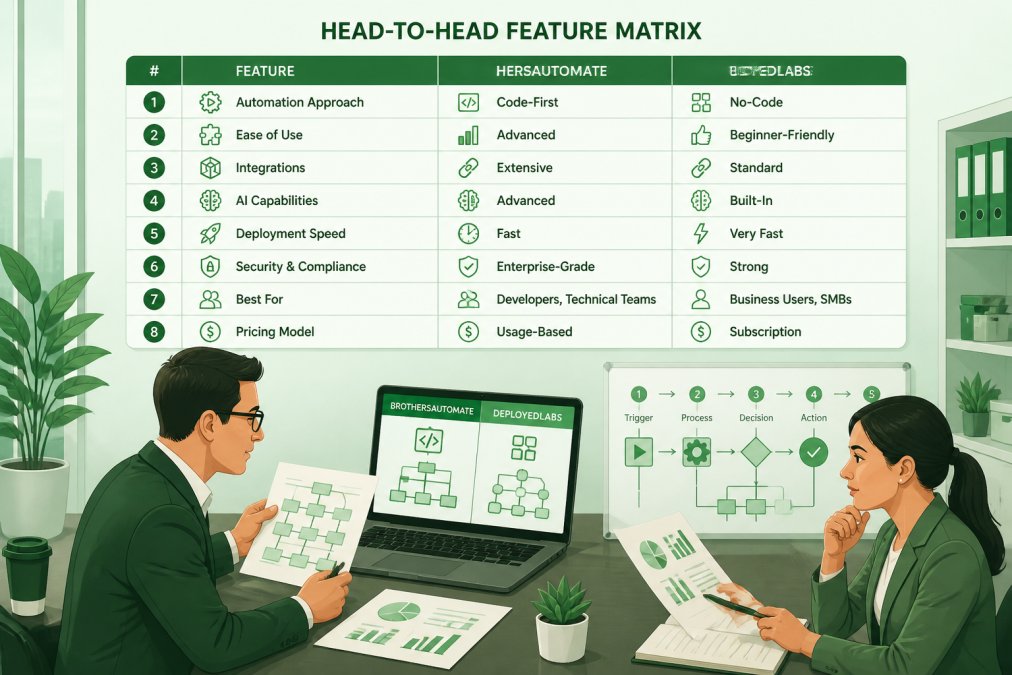
| Category | BrothersAutomate | DeployedLabs |
|---|---|---|
| Delivery model | Packaged automation builds | Custom agent development |
| Build interface | No-code first | Low-code and code |
| Agent depth | Template-driven agents | Goal-driven autonomous agents |
| Integration focus | Common CRM and API connectors | Custom API and LLM integration |
| Maintenance load | Lower, vendor-managed | Higher, more custom code |
| Best for | Fast deployment, standard workflows | Complex, bespoke automation |
Workflow Automation Capabilities and Agent Features
Workflow automation is where the two providers diverge most sharply. BrothersAutomate prioritizes task orchestration across familiar systems: lead generation flows, CRM integration, and structured data handoffs that run without a developer.
DeployedLabs pushes further into autonomous agents. Its builds are goal-driven rather than step-driven, meaning an agent can decide which action to take next based on real-time processing of incoming data.
The trade-off is predictability. Template-driven agents are easier to audit because every branch is defined; goal-driven agents handle messier inputs but demand more testing.
AI Automation Agency Pricing: What to Expect from Each Provider
Pricing is where most BrothersAutomate vs DeployedLabs comparisons fall apart, because neither provider publishes a rate card. But the two agencies bill on structurally different models, and understanding those models is how you forecast total cost of ownership.
The Two Pricing Architectures
BrothersAutomate prices around packaged builds. A typical engagement bundles a defined number of workflows, a fixed connector set, and a monthly support tier into one recurring line item. The advantage is predictability: one number, with scope creep contained by the package boundary.
DeployedLabs prices around custom development plus a maintenance retainer. The build is quoted as a project, scoped by agent count, integration complexity, and LLM endpoints. After launch, a separate retainer covers monitoring, prompt or logic updates, and debugging when upstream APIs change.
The Three Variables That Drive Every Quote
Whichever provider you talk to, the quote moves on three levers:
- Workflow count and branching depth. A linear lead-routing flow is cheap; conditional branches, human-in-the-loop approvals, and error-handling paths are not.
- Integration surface area. Native connectors to mainstream CRMs and email platforms are commodity work. Custom REST or GraphQL integrations against a proprietary internal API are engineering hours.
- Ongoing ownership. Vendor-managed maintenance shifts risk to the provider but raises the monthly number. Self-managed maintenance lowers the retainer but assumes someone can read a workflow log.
A Framework for Comparing Quotes Side by Side
When proposals arrive from both, normalize them into four columns before comparing totals:
| Cost line | What to ask BrothersAutomate | What to ask DeployedLabs |
|---|---|---|
| Build / implementation | Is the build included in the recurring fee, or billed separately? | What is the fixed project cost, and what triggers a change order? |
| Monthly platform or support | What is included in the tier, and what is metered? | What does the retainer cover, and what is billed hourly? |
| Change requests | What is the hourly or per-change rate after launch? | Same question, plus: who owns the code if we leave? |
| Exit / portability | Can we export workflow definitions? | Can we take the agent code and run it ourselves? |
That last row is the one most buyers skip and later regret: if you cannot export your workflows or agent code, your switching cost is effectively infinite.
ROI: How to Sanity-Check the Number
Agencies rarely publish ROI figures because outcomes depend on your process, but you can build a defensible estimate before signing. Isolate the hours a workflow consumes, multiply by a fully loaded hourly cost, and compare that annual figure against the total first-year cost (build plus twelve months of support). Simple, high-volume, rules-based workflows pay back fastest; complex agent builds with heavy human review take longer, because the review step does not disappear, it just moves.
What to Put in Writing Before You Sign
Ask both providers for a written schedule covering build cost, monthly support cost, the hourly rate for post-launch changes, the notice period to cancel, and the data and code export terms. If a provider will not commit those to paper, treat that as a pricing signal.
Custom AI Agent Development Services: Depth and Flexibility
Custom AI agent development services are DeployedLabs' clear strength. Its low-code and code-based approach lets engineers wire agents into proprietary systems, custom CRMs, and LLM endpoints that packaged tools cannot reach.
BrothersAutomate is more constrained by design: its no-code framework covers most business automation needs, but unusual data models or legacy systems may require workarounds.
If your workflow runs on standard infrastructure, that constraint costs you nothing.
Best AI Workflow Automation Tools 2026: The Tech Stack Behind Each Agency
The best AI workflow automation tools in 2026 share common traits: API-first design, LLM integration, and support for structured data.
BrothersAutomate favors visual builders that non-technical staff can maintain. DeployedLabs leans on frameworks that expose code when the workflow demands it, which matters for teams with engineering resources.
For a broader view of how AI is reshaping business operations, the National Institute of Standards and Technology AI Risk Management Framework offers useful guidance on evaluating AI systems before deployment.
Technical Implementation, Maintenance, and Data Compliance
Most BrothersAutomate vs DeployedLabs comparisons stop at features and never touch the three things that determine whether an automation project succeeds: how long it takes to get the first workflow live, what happens when it breaks, and whether the data handling survives a security review.
Time-to-First-Automation: The Metric Nobody Publishes
"Time-to-first-automation" is the elapsed time from signed contract to a workflow running in production on real data, the single best predictor of whether a project maintains momentum, because automation initiatives that stall in setup rarely recover.
BrothersAutomate's no-code-first delivery compresses this window.
DeployedLabs' low-code and code-based delivery extends the window. The build requires someone who can read and write code, define the agent's goal state, and wire it into your APIs.
What Breaks, and How Each Provider Handles It
Workflows break for predictable reasons: an upstream API changes its authentication scheme, a field is renamed, a rate limit is hit, or an LLM endpoint returns a response shape the agent did not expect.
With BrothersAutomate's template-driven agents, failures tend to be visible and localized.
With DeployedLabs' goal-driven agents, failures are subtler. An agent that cannot reach its goal may not error out, it may take a less efficient path, call an unintended tool, or loop.
API Changes Over Time: The Hidden Maintenance Tax
Every integration you build is a bet that the upstream API stays stable. It will not. Vendors deprecate endpoints, rotate credentials, and change pagination behavior on their own schedule.
A packaged provider absorbs some of this by updating shared connectors once for all customers. A custom build does not, your agent is the only thing calling that endpoint, so the fix is yours.
Data Privacy and Compliance: What to Demand in Writing
Automation platforms sit on top of customer data, so they inherit your compliance obligations. The specifics depend on your sector, but the questions are universal:
- Where is data stored and processed? Get the region, the cloud provider, and whether any subprocessors are involved.
- What data leaves your systems, and in what form? If an LLM endpoint is in the path, ask whether prompts and responses are retained, and for how long.
- Who can access the data? Provider staff, support engineers, and any third-party tools in the stack all count.
- How is data deleted? On cancellation, on request, and on a defined schedule, get the mechanism, not the promise.
For organizations in regulated sectors, the Federal Trade Commission guidance on data security sets expectations worth putting in writing before you sign, and the National Institute of Standards and Technology AI Risk Management Framework offers a structured way to evaluate the AI components of either build.
The Handoff Question
Ask both providers what you receive at the end of the engagement: workflow definitions, agent code, integration documentation, credentials inventory, and a runbook for common failures. The quality of that handoff determines whether you can maintain the system yourself or are locked into the provider indefinitely. For a comparison this close on features, the handoff terms are often the deciding factor.
Conclusion: Which Automation Partner Fits Your Business?
The honest answer is that BrothersAutomate vs DeployedLabs is not a contest with one winner. BrothersAutomate fits teams that need reliable workflow automation deployed fast on standard systems. DeployedLabs fits organizations with complex, custom requirements and the engineering capacity to support them.
Whichever direction you lean, the vendor selection process itself is where most businesses lose time.
Get a Free Assessment with Upgrade My Business and find the automation partner that matches how your business actually operates.
Frequently Asked Questions
What are the primary differences between BrothersAutomate and DeployedLabs?
BrothersAutomate focuses on end-to-end workflow automation with a broader set of pre-built connectors, while DeployedLabs emphasizes custom AI agent development and deeper LLM integration. BrothersAutomate tends to suit teams that need quick deployment across standard business apps, whereas DeployedLabs is often chosen when you require tailored autonomous agents that handle complex, goal-driven processes. Both offer no-code and low-code options, but DeployedLabs provides more flexibility for custom business logic and API-level customization.
How do these automation agencies impact operational efficiency?
Both agencies aim to reduce manual tasks and improve real-time processing. BrothersAutomate typically automates repetitive workflows like lead generation and CRM updates, cutting processing time. DeployedLabs focuses on autonomous agents that can make decisions and orchestrate multi-step tasks, which can further reduce human intervention in complex pipelines. The actual impact depends on your existing systems and how well the chosen platform integrates with your CRM and data sources. A pilot project is the best way to measure ROI before scaling.
Do BrothersAutomate and DeployedLabs offer custom AI agent development?
Yes, both provide custom AI agent development services, but their approaches differ. BrothersAutomate offers configurable agents within its platform, which are easier to deploy but may have limits on deep customization. DeployedLabs specializes in building bespoke agents from the ground up, often using frameworks that allow for advanced goal-driven behavior and integration with proprietary LLMs. If you need agents that closely mirror your unique business logic, DeployedLabs may be the stronger fit; for faster deployment with moderate customization, BrothersAutomate is a solid choice.
Which AI automation agency is better for small businesses?
Small businesses often prioritize ease of use, quick setup, and predictable pricing. BrothersAutomate's pre-built templates and no-code interface can be more accessible for teams without dedicated developers. DeployedLabs, while offering more power, may require more technical involvement and a higher budget. That said, both agencies have entry-level options, and the right choice depends on your specific workflows and growth plans. We recommend starting with a free assessment to match your needs with the appropriate vendor.